Feeling overwhelmed by everything you need to get done? You’re not alone.
With so many tasks competing for your attention, staying organized can feel impossible. That’s where the right tools come in. The best to-do list and task management apps aren’t just about checking boxes—they help you take control of your time, reduce stress, and actually get things done.
But how do you pick the right one? Not all apps are created equal, and the wrong choice can leave you more frustrated than before. Don’t worry—we’ve done the hard work for you. You’ll discover the 10 best to-do list and task management apps designed to keep you on track, whether you’re managing work projects, personal goals, or both. Ready to reclaim your productivity? Let’s dive in!
Why Task Management Apps Matter
Managing tasks effectively is essential in our fast-paced world. With countless responsibilities, it’s easy to lose track of priorities. Task management apps help organize your day and reduce stress. They ensure you focus on what truly matters. These tools are not just for professionals; anyone can benefit from them.
From students to freelancers, staying organized boosts productivity. It also improves mental clarity. A structured to-do list helps you track progress and meet deadlines. Whether at work or home, task management apps simplify your life.
1. They Help You Stay Organized
Task management apps provide a clear overview of your responsibilities. With categorized lists and reminders, you won’t forget important tasks. This organization saves time and improves focus.
2. They Improve Time Management
Many apps allow scheduling tasks by priority or deadline. This helps you allocate time wisely and avoid procrastination. You’ll know exactly what to tackle first.
3. They Reduce Stress
Keeping everything in one place eliminates the overwhelm of scattered notes. Task management apps create a sense of control. This reduces anxiety and increases peace of mind.
4. They Boost Accountability
With shared task lists, teams can collaborate easily. Everyone knows their role and progress is visible. This accountability improves teamwork and efficiency.
5. They Track Your Progress
Many apps allow you to mark completed tasks. This visual progress motivates you to keep going. Seeing what you’ve achieved boosts confidence and satisfaction.
6. They Adapt to Your Needs
Task management apps often come with customizable features. You can set recurring tasks, add notes, or create categories. This flexibility makes them suitable for various lifestyles.
Key Features To Look For
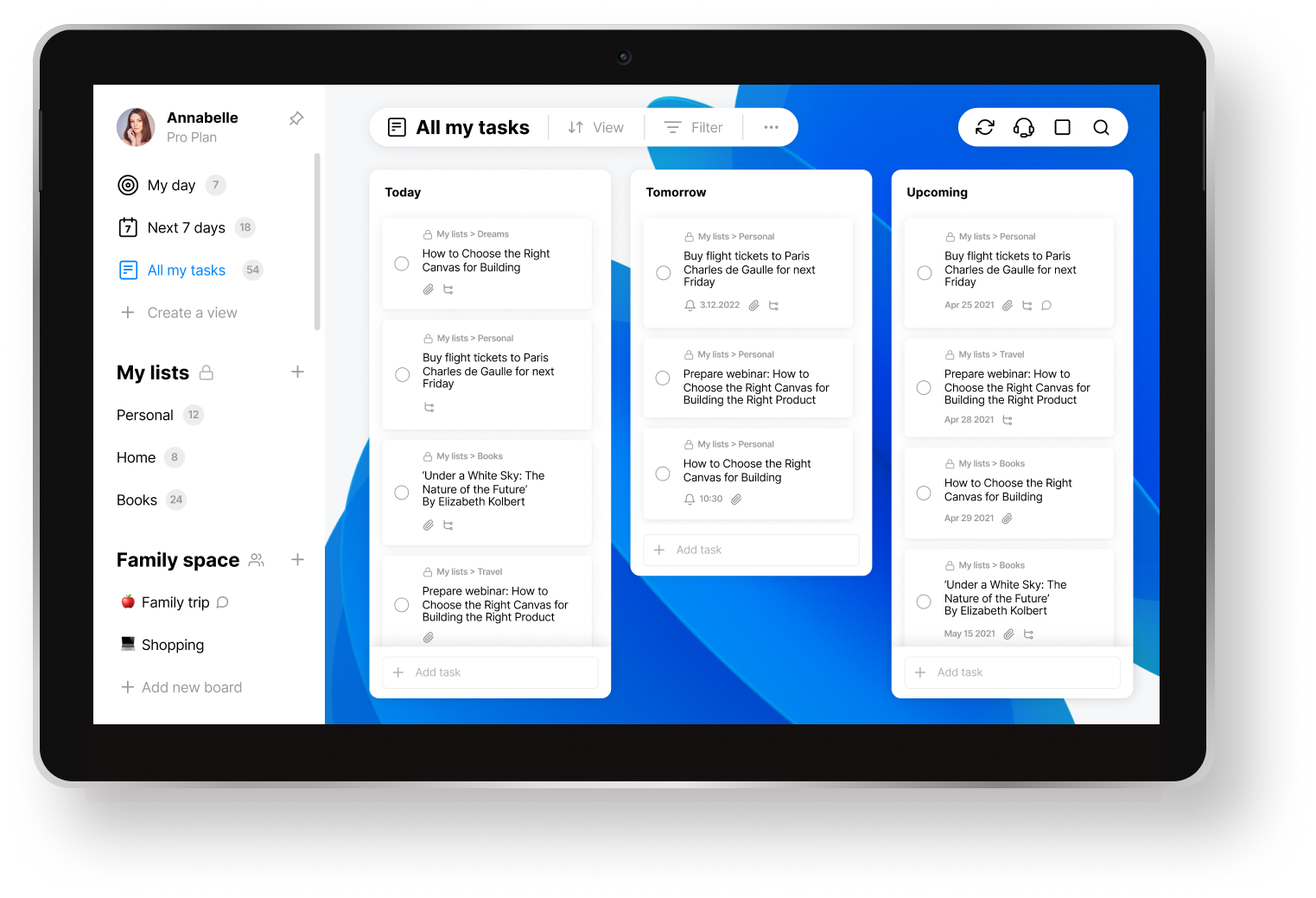
Choosing the right to-do list and task management app can simplify your life. But not all apps are created equal. Certain features make an app stand out. Below are key features you should focus on before deciding.
Cross-platform Compatibility
An app that works across devices ensures seamless productivity. It should sync between phones, tablets, and computers without delays. This feature lets you access tasks wherever you are. Look for apps that support iOS, Android, Windows, and macOS.
Collaboration Tools
Customizable Interfaces
Customization lets you adapt the app to your workflow. A flexible interface should allow changes in layout, themes, and categories. This helps tailor the app to your needs. Look for color-coding options and adjustable views for better organization.
`
Todoist
Todoist is one of the most popular task management apps available today. It combines simplicity with powerful features to help you manage tasks effortlessly. Whether you use it for personal or professional projects, Todoist keeps your schedule organized and your priorities clear.
Streamlined Task Organization
Todoist offers a clean and intuitive interface that simplifies task management. You can create tasks, subtasks, and organize them into different projects. Labels and priority levels make it easy to categorize and focus on what matters most. The Quick Add feature allows you to schedule tasks fast with natural language input.
Recurring tasks are a breeze to set up, ensuring you never miss deadlines. You can also group related tasks together, keeping your to-do list structured and clutter-free. This organized approach helps improve productivity and reduces overwhelm.
Cross-device Sync
Todoist keeps your tasks updated across all your devices. Whether you’re on your phone, tablet, or computer, your to-do list stays consistent. The app works seamlessly on iOS, Android, Windows, macOS, and even web browsers. This ensures you can access your tasks anytime and anywhere.
Changes made on one device appear instantly on others. This feature is perfect for those who switch between devices throughout the day. Todoist’s cross-device sync helps you stay on top of your tasks without interruptions.
Trello
Trello is one of the most popular task management tools available today. Its simple design and visual approach make organizing tasks easier. Trello is suitable for individuals and teams of all sizes. Its flexibility allows users to customize boards based on their workflow.
Visual Task Boards
Trello uses a card-based system to organize tasks visually. Each board represents a project, and lists hold related tasks. Users can drag and drop cards between lists to track progress. This visual setup makes it simple to understand project status at a glance. You can add labels, due dates, and attachments to cards for better clarity.
The platform’s clean and intuitive design keeps things clutter-free. This feature is especially helpful for people who prefer visual organization. Whether it’s a personal to-do list or a team project, Trello adapts to your needs.
Team Collaboration
Trello is ideal for teams needing effective communication and task sharing. Members can comment on cards to discuss tasks directly within the platform. Assigning tasks to teammates is easy with a few clicks. Notifications ensure everyone stays updated on changes and deadlines.
It also integrates with tools like Slack, Google Drive, and Dropbox. This makes sharing files and updates seamless across platforms. Trello’s collaboration features help teams stay organized and productive.
Asana
Asana is a powerful tool for managing tasks and team collaborations. It helps users organize projects, prioritize tasks, and stay on track with deadlines. With a simple interface and robust features, Asana is suitable for individuals and teams of all sizes. It offers flexibility for both personal and professional task management.
Project Tracking
Asana makes tracking project progress easy and accessible. You can break large projects into smaller tasks and assign them to team members. Users can set due dates, add descriptions, and attach files to tasks. Visual tools like boards and timelines provide clear insights into project status. This helps ensure everyone stays aligned and deadlines are met.
Workflow Automation
Workflow automation in Asana reduces repetitive work and saves time. You can set rules to trigger actions based on task updates. For instance, move tasks automatically when marked complete or notify members about changes. Custom templates simplify the creation of recurring workflows. These features help teams focus on meaningful work instead of manual updates.
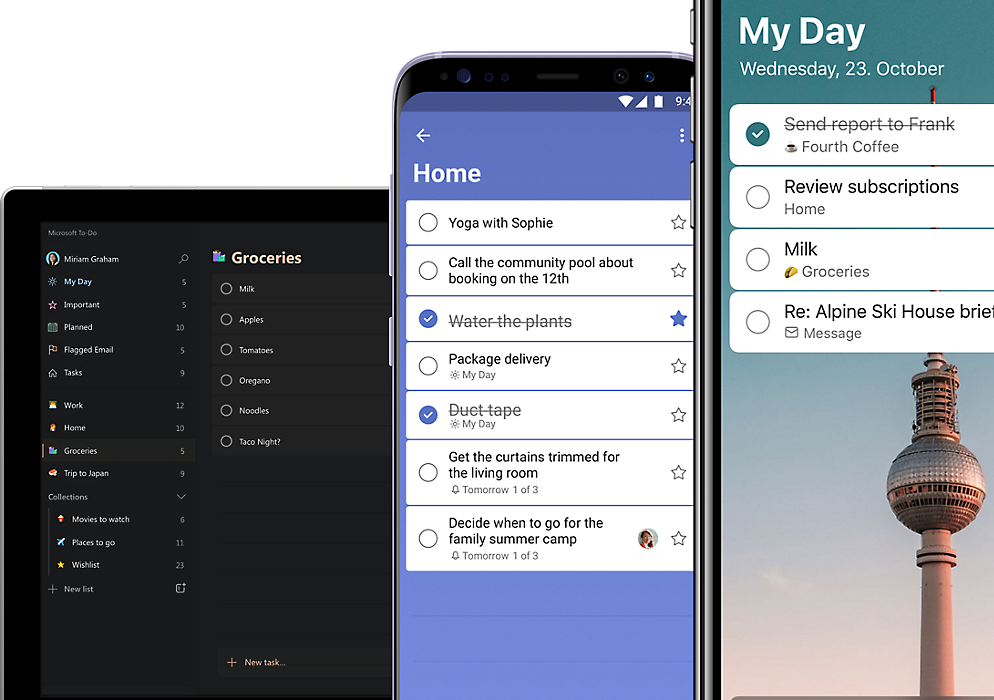
Microsoft To Do
Microsoft To Do is a feature-rich task management app. It combines simplicity with powerful tools to help you stay organized. Whether for personal tasks or work projects, it offers a clean interface. Users can seamlessly create, track, and complete tasks with ease. Its integration with the Microsoft ecosystem makes it a standout choice for many.
Integration With Microsoft Suite
Microsoft To Do connects effortlessly with other Microsoft tools. It syncs seamlessly with Outlook, allowing you to manage tasks directly from emails. Tasks created in Microsoft Planner can also appear in your To Do list. This integration ensures your tasks are always in one place. You don’t need to switch between apps to stay on track. Microsoft’s ecosystem ensures smooth collaboration and improved productivity.
Personalized Lists
Microsoft To Do helps you organize tasks with personalized lists. You can create separate lists for work, home, or personal goals. Add colors or emojis to make them visually distinct. This customization helps you quickly identify and prioritize tasks. The app also offers smart suggestions for daily planning. These suggestions help you focus on important tasks each day. It’s a simple way to keep your life organized and stress-free.
Google Tasks
Google Tasks is a simple yet powerful task management tool. It integrates smoothly with other Google apps, making it highly convenient. Its easy-to-use interface helps users stay organized without feeling overwhelmed. Perfect for those who prefer a minimalist approach to task management.
Seamless Gmail Integration
Google Tasks works effortlessly within Gmail. Users can create tasks directly from emails. This feature allows you to convert important emails into actionable tasks. It ensures that no essential follow-up is missed. The integration makes multitasking more efficient and straightforward.
Accessing tasks from Gmail is quick and intuitive. The Tasks sidebar is always within reach. You can view, edit, or complete tasks while managing your inbox. This saves time and keeps everything in one place.
Minimalist Design
Google Tasks has a clean and simple design. It eliminates unnecessary features and focuses on core functionality. This makes it ideal for users who value simplicity.
The interface is easy to navigate with minimal distractions. Adding, editing, or organizing tasks takes only a few clicks. The app keeps everything clear and clutter-free. This ensures users stay focused on what needs to be done.
Credit: www.microsoft.com
Notion
Notion is a versatile app designed for task management and organization. It combines multiple features into a single platform, making it ideal for managing tasks, projects, and ideas. Users can structure their workflow efficiently with its customizable tools.
All-in-one Workspace
Notion offers an integrated workspace for managing tasks, notes, and projects. You can organize everything in one place without switching between apps. It supports text notes, tables, calendars, and even kanban boards. This flexibility simplifies complex workflows and keeps everything organized. Teams can collaborate in real-time, enhancing productivity. Whether personal or professional, Notion adapts to your needs.
Custom Templates
Notion provides customizable templates for various use cases. You can create templates for tasks, meeting agendas, or project tracking. Templates save time by providing pre-built layouts, reducing manual setup. Users can edit them to match specific requirements. This feature allows unique workflows tailored to individual or team preferences.
Clickup
ClickUp is a powerful to-do list and task management app. It caters to personal and professional needs. Packed with features, it suits teams and individuals alike. Its flexibility and ease of use make it a popular choice. Below are key features that make ClickUp stand out.
Highly Customizable
ClickUp offers unmatched customization options for task management. You can create custom task statuses, fields, and tags. These options make it easy to adapt ClickUp to your workflow. The app allows you to organize tasks using lists, boards, or timelines. You can also customize views to focus on what matters most. Personalizing the interface ensures a seamless user experience.
Time Management Tools
ClickUp includes tools to track and manage time effectively. Its built-in time tracker helps monitor task durations. You can set time estimates to plan tasks better. The app also integrates with popular time-tracking tools like Toggl. Calendar views allow you to schedule tasks and deadlines efficiently. These features help improve productivity and meet goals on time.
Any.do
Any.do is a popular task management app designed for simplicity and efficiency. It helps users organize their tasks, plan their day, and stay on track. Its user-friendly interface and smart features make it a standout tool for productivity. Whether you’re managing work projects or personal errands, Any.do has tools to fit your needs.
Daily Planner
Any.do’s Daily Planner helps you structure your day effortlessly. It lets you prioritize tasks and schedule them based on urgency. You can drag and drop tasks to rearrange your schedule quickly. The planner sends reminders to ensure you never miss a deadline. It also syncs across devices, so your plans are always up to date.
Voice Commands
With Any.do, you can add tasks using voice commands. This feature is perfect for busy moments when typing isn’t convenient. Simply speak your task, and the app will record it instantly. This hands-free functionality boosts productivity and saves time. Voice commands make managing tasks faster and easier.
Remember The Milk
‘Remember The Milk’ is a reliable app for managing tasks and to-do lists. It’s perfect for organizing your daily activities and staying productive. With its user-friendly design, you can easily manage tasks and reminders. This app simplifies task management for both personal and work-related goals.
Smart Lists
Smart Lists in ‘Remember The Milk’ allow you to organize tasks automatically. You can create rules to filter tasks based on priority, due dates, or tags. These lists save time by sorting tasks you need to focus on. Customization options make the tool adaptable to your workflow.
Offline Access
‘Remember The Milk’ works even without an internet connection. You can view and manage tasks offline, ensuring productivity in any situation. Changes made offline sync automatically when you reconnect. This feature is perfect for users who travel frequently or face connectivity issues.
Habitica
Habitica is a unique to-do list app that combines productivity with fun. It transforms your daily tasks into a game, making them exciting. This app motivates users to complete tasks by turning them into game challenges. It’s perfect for those who enjoy gamified systems and need extra encouragement.
Gamified Productivity
Habitica turns your task list into a role-playing game. Completing tasks helps your in-game character level up. You can earn items, skills, and achievements by staying consistent. This feature makes daily responsibilities feel less like chores. It’s a great way to stay productive while having fun.
Reward System
Habitica offers in-game rewards for completing your tasks. You can use rewards to customize your character or unlock new features. There’s also an option to set real-life rewards, like taking a break or enjoying a treat. This dual reward system keeps you motivated to stay on track.
Frequently Asked Questions
What Features Should A Good To-do List App Have?
A good app should offer task organization, reminders, collaboration tools, and cross-platform compatibility. These features improve productivity.
Are Free Task Management Apps Reliable?
Yes, many free apps are reliable. They offer essential features like task tracking, reminders, and basic collaboration options.
How Do To-do List Apps Improve Productivity?
They help prioritize tasks, set deadlines, and track progress. This reduces forgetfulness and keeps you organized.
Conclusion
Choosing the right task app makes managing your day much easier. These ten options offer great features for staying organized and productive. Explore each app and find one that fits your style best. Whether for work or personal tasks, these tools simplify planning.
Start small, and build better habits with the app you select. Remember, a clear to-do list helps reduce stress and improve focus. Try an app today to take control of your tasks effectively.