Running a business means doing many tasks every day. Some tasks are simple but take a lot of time. What if you could make your work easier? What if your business could do some tasks by itself? That is where automation helps. Today, we will learn how to automate your business workflow using two popular tools: Zapier and UiPath.
What is Business Workflow Automation?
Business workflow automation means using technology to do tasks automatically. Instead of doing things by hand, software does them for you. This saves time and reduces mistakes. It also helps you focus on more important work. You can automate many tasks, like sending emails, moving data, or updating files.
Introducing Zapier and UiPath
Zapier and UiPath are tools to help you automate tasks. But they work in different ways.
What Is Zapier?
Zapier connects the apps you use daily. It helps these apps talk to each other. For example, you can connect your email and spreadsheet. When you get an email, Zapier can add the info to your spreadsheet. It works in the cloud, so you do not need to install software.
What Is Uipath?
UiPath is a tool for robotic process automation (RPA). It works on your computer. UiPath can do tasks like a person would do. It can click buttons, open programs, copy data, and more. It is good for tasks that need many steps or use software without cloud connections.
Why Use Both Zapier and UiPath?
Zapier is easy and fast for simple tasks between apps. UiPath is stronger for complex tasks on your computer. Using both tools together can help you automate many parts of your business. They can save you time and reduce errors.
Steps to Automate Your Business Workflow
Let’s see how you can start automating with Zapier and UiPath. Follow these simple steps.
Step 1: Identify Tasks To Automate
First, look at your daily work. Which tasks take a lot of time? Which tasks repeat every day? These tasks are good to automate. Examples are:
- Sending welcome emails to new customers
- Saving customer data from emails to a spreadsheet
- Copying order details from one program to another
- Generating reports every week
Step 2: Choose The Right Tool For Each Task
Think about which tool fits your task.
- Use Zapier if your task moves data between online apps like Gmail, Google Sheets, or Slack.
- Use UiPath if your task needs to work with desktop programs, websites, or files on your computer.
Step 3: Create Your First Zap In Zapier
Zapier works with “Zaps.” A Zap is a connection between apps. It has two parts:
- Trigger: This starts the Zap when something happens.
- Action: This is what the Zap does after it starts.
For example, when you get a new email (trigger), Zapier can save the data to a spreadsheet (action).
To create a Zap:
- Sign up at zapier.com and log in.
- Click “Make a Zap.”
- Choose the app and event for the trigger.
- Connect your account and test the trigger.
- Choose the app and event for the action.
- Connect the account and test the action.
- Turn on the Zap.
Step 4: Build A Uipath Robot
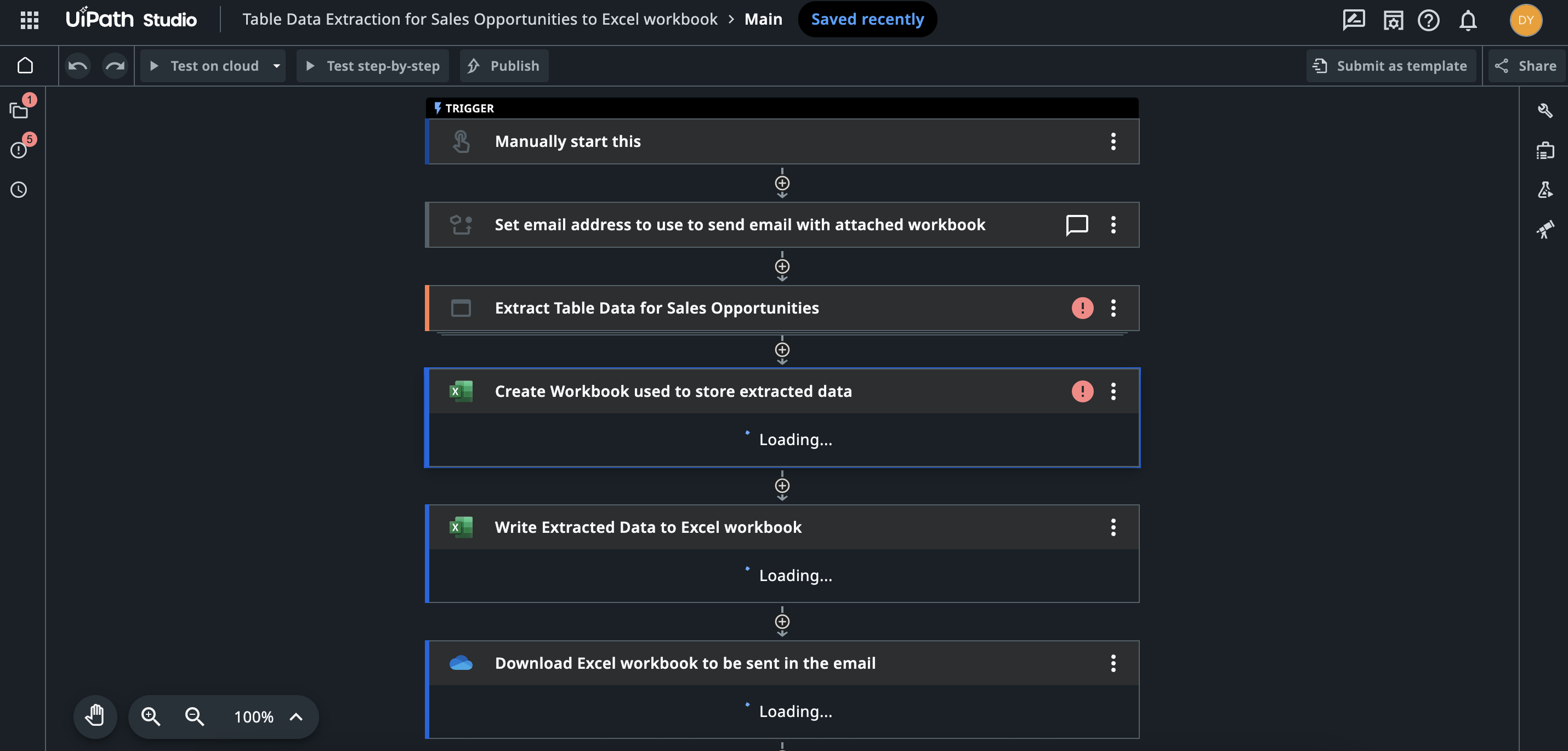
UiPath uses robots to do tasks. To create one:
- Download and install UiPath Studio.
- Open UiPath Studio and create a new project.
- Use the drag-and-drop tools to build your robot’s steps.
- Add activities like clicking buttons, typing text, and reading data.
- Test your robot to make sure it works well.
- Save and run the robot when you need it.
You do not need to know coding to use UiPath. The visual tools make it simple.
Step 5: Combine Zapier And Uipath
Sometimes, you need both tools to work together. For example:
- Zapier gets new customer data from your email.
- Zapier sends this data to UiPath.
- UiPath robot opens your desktop software and enters the data.
How to connect them? You can use webhooks or APIs.
Here is a simple way:
- In Zapier, use a webhook action to send data.
- In UiPath, create a robot that listens for webhook data.
- When UiPath gets the data, it starts the task automatically.
This way, both tools work together to save you time.
Credit: zapier.com
Examples of Business Workflow Automation
Let’s look at some real examples. These will help you understand how Zapier and UiPath can help.
Example 1: Automate Customer Support
- Zapier watches for new support emails.
- Zapier sends the email content to a spreadsheet.
- UiPath robot reads the spreadsheet and opens your help desk software.
- UiPath enters the new ticket details automatically.
Example 2: Automate Order Processing
- Zapier receives new order notifications from your website.
- Zapier sends the order info to UiPath via webhook.
- UiPath opens your accounting program and enters the order.
- UiPath saves a copy of the order in a folder.
Example 3: Automate Weekly Reports
- UiPath robot gathers data from different programs.
- UiPath creates a report document.
- Zapier sends the report to your email or Slack.
- You get the report without doing any work.
Benefits of Automating Your Workflow
Why should you automate? Here are some good reasons:
| Benefit | Explanation |
|---|---|
| Save Time | Automation does tasks faster than humans. |
| Reduce Errors | Robots follow steps exactly, so fewer mistakes. |
| Work 24/7 | Automation can work even when you sleep. |
| Focus on Important Work | You spend more time on decisions and growth. |
| Better Customer Service | Tasks like emails and orders are faster and smoother. |
Tips for Successful Automation
Automation can be easy if you follow these tips:
- Start small with simple tasks.
- Test your automations before using them live.
- Keep track of what automation does.
- Make sure your data is clean and organized.
- Update automations when your business changes.
Frequently Asked Questions
What Tasks Can Zapier And Uipath Automate Together?
Zapier connects apps, while UiPath handles complex processes. Together, they automate data entry, notifications, and report generation.
How Do Zapier And Uipath Improve Business Workflow?
They save time by reducing manual work and errors. This leads to faster task completion and better team focus.
Is Coding Knowledge Required To Use Zapier And Uipath?
No, both tools offer drag-and-drop interfaces. Users can create workflows with little or no coding experience.
Conclusion
Automating your business workflow can help you save time and do better work. Zapier and UiPath are two tools that make automation easy. Zapier connects your online apps. UiPath works like a robot on your computer. Together, they can handle many tasks for you.
Start by finding which tasks you want to automate. Then, choose the right tool. Build simple automations first. As you get used to it, you can create bigger and better workflows.
Automation is not about replacing people. It is about helping you work smarter. It lets you focus on what matters most in your business.