Feeling overwhelmed by repetitive tasks that eat up your time and energy? You’re not alone.
Whether you’re managing a business, running a side hustle, or just trying to stay on top of your to-do list, the struggle is real. But here’s the good news: AI workflow automation tools can take the weight off your shoulders.
Imagine having a virtual assistant that handles the boring, time-consuming stuff while you focus on what truly matters. Sounds like a dream, right? In this post, you’ll discover the 10 best AI workflow automation tools, like Zapier, Gumloop, and more, that can transform the way you work. These tools don’t just save you time—they give you back control of your day. Stick around, because by the end of this list, you’ll know exactly which one can help you get more done with less effort. Ready to level up your productivity? Let’s dive in.
Credit: www.upskillist.com
Ai In Workflow Automation
AI has transformed how businesses handle repetitive tasks and processes. It automates workflows, saving time and reducing human error. AI-powered tools can streamline operations, improve efficiency, and boost productivity. They eliminate manual labor in tasks like data entry, email management, and reporting. This allows teams to focus on more strategic activities. Below are some key tools leading the way in AI workflow automation.
1. Zapier
Zapier connects apps and automates tasks across platforms. It uses AI to trigger actions between apps based on pre-set conditions. For example, it can save email attachments to cloud storage automatically. With its user-friendly interface, anyone can create workflows without coding.
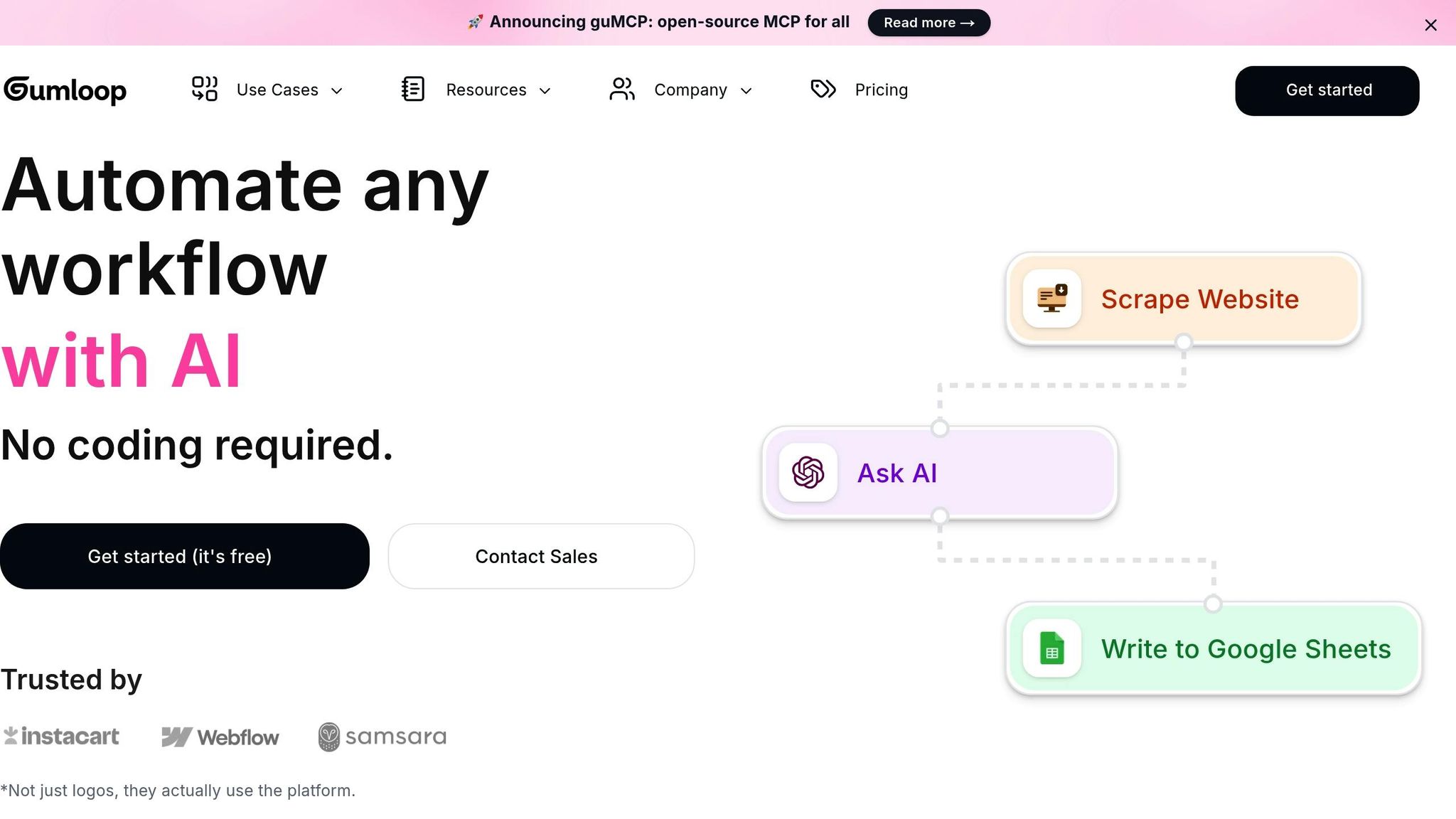
2. Gumloop
Gumloop simplifies complex workflows with AI-driven automation. It offers pre-built templates for tasks like lead management and customer support. Its drag-and-drop builder makes customization easy. This tool works well for teams seeking to streamline multi-step processes.
3. Make (formerly Integromat)
Make provides visual workflow automation for businesses of all sizes. Users can create dynamic workflows by connecting apps and setting conditions. Its AI features enable smarter task execution, like filtering data or sending notifications. This tool is ideal for handling intricate workflows.
4. UiPath
UiPath specializes in robotic process automation (RPA) powered by AI. It automates repetitive tasks like invoice processing and data extraction. Its AI capabilities include natural language understanding and image recognition. This tool is perfect for businesses with high-volume tasks.
5. Power Automate
Microsoft’s Power Automate integrates AI to automate business workflows. It connects to popular Microsoft apps like Teams, Outlook, and Excel. AI features include text recognition and sentiment analysis. This makes it useful for automating reports and customer feedback analysis.
6. Workato
Workato combines integration and automation with AI. It helps businesses connect apps and automate tasks across departments. AI capabilities allow predictive analytics and intelligent recommendations. This tool supports seamless collaboration between teams.
7. Automation Anywhere
Automation Anywhere uses AI to enhance robotic process automation. It automates tasks like document processing and form filling. Its AI features include machine learning and natural language processing. This tool is scalable and adapts to various industries.
8. IFTTT
IFTTT (If This Then That) enables simple automation for everyday tasks. It connects apps and devices to perform actions based on triggers. AI improves its ability to recognize patterns and suggest workflows. It’s a great choice for personal and business use.
9. Nintex
Nintex focuses on workflow automation with AI enhancements. It automates document generation, approvals, and data collection. AI features assist with process optimization and error reduction. This tool suits organizations aiming to improve operational efficiency.
10. Kissflow
Kissflow offers AI-powered workflow solutions for businesses. It automates tasks like project tracking, approvals, and notifications. Its AI tools provide insights to improve workflows and decision-making. This tool is user-friendly and supports various industries.
Key Benefits Of Automation Tools
Automation tools simplify repetitive tasks. They save time and minimize manual effort. These tools improve efficiency and reduce human errors. Businesses can focus on important goals instead of mundane processes.
AI-powered workflow tools take automation to the next level. They analyze data, make decisions, and handle complex tasks seamlessly. This allows teams to work smarter and faster.
Boost Productivity
Automation tools streamline workflows by handling repetitive tasks automatically. Teams spend less time on manual processes, focusing on creative and strategic work.
With fewer distractions, employees complete more tasks in less time. This improves overall productivity and helps businesses grow faster.
Improve Accuracy
Manual processes often lead to mistakes due to human error. Automation tools ensure tasks are completed with precision every time.
AI-based tools analyze data and execute tasks based on predefined rules. This consistency improves results and builds trust in workflows.
Save Time
Automation eliminates the need for manual intervention in routine tasks. This frees up valuable time for employees to concentrate on critical work.
Businesses can complete more tasks in shorter periods, increasing efficiency and output.
Cut Costs
Automating tasks reduces the need for excessive labor and resources. Businesses save money by optimizing processes and minimizing operational expenses.
AI tools also identify inefficiencies and suggest cost-saving measures, enhancing overall profitability.
Enhance Collaboration
Automation tools connect systems and teams, ensuring seamless communication. They enable real-time updates and data sharing across departments.
This coordination improves teamwork, helping employees achieve goals faster and with greater ease.
Adapt To Growth
As businesses grow, workflows become more complex. Automation tools scale operations without adding extra workload to teams.
AI tools adapt to changing needs, ensuring processes remain smooth and efficient during expansion.
Access Insights
Many automation tools collect and analyze data. They provide insights into performance, trends, and opportunities.
Businesses use these insights to make smarter decisions, improving strategies and outcomes.
Maintain Consistency
Automated workflows ensure tasks are completed uniformly every time. This consistency builds reliability and trust in business operations.
It also helps maintain quality standards across all processes, enhancing customer satisfaction.
Reduce Stress
Automation tools handle tedious and repetitive tasks, reducing workload. Employees experience less stress and focus on more meaningful work.
This leads to happier teams and better workplace morale, improving overall productivity.
Stay Competitive
Automation tools help businesses stay efficient in a fast-paced market. They enable faster execution of tasks, improving response times.
This advantage keeps businesses ahead of competitors, ensuring long-term success.
Criteria For Choosing The Right Tool
Choosing the best AI workflow automation tool can feel overwhelming. There are many options, and each offers different features. To make the best choice, focus on what matters most to your needs. This ensures the tool you pick aligns with your goals and saves time.
Below are key criteria to consider, broken into simple categories.
1. Ease of Use
The tool should be simple to set up and operate. A user-friendly interface saves time and reduces frustration. Look for tools with clear instructions and minimal technical requirements.
2. Integration Options
Check if the tool integrates with apps you already use. Popular apps like Gmail, Slack, and Trello should connect easily. Strong integration ensures smooth workflows across platforms.
3. Cost Effectiveness
Compare the tool’s features with its pricing plan. Some tools offer free plans, while others require subscriptions. Ensure the price fits your budget and offers good value.
4. Automation Capabilities
Review the types of tasks the tool can automate. It should handle repetitive tasks like data entry, notifications, and file transfers. More automation means less manual work for you.
5. Scalability
Choose a tool that can grow with your needs. Some tools work well for small tasks but struggle with large-scale operations. Ensure it supports long-term growth.
6. Reliability
Reliability is critical for automation tools. The tool should perform tasks without errors. Look for tools with positive user reviews and consistent performance.
7. Customer Support
Good customer support helps resolve issues quickly. Check if the tool provides live chat, email, or phone support. Fast and helpful service can save time during troubleshooting.
8. Security
Ensure the tool protects your data with encryption and other safety measures. Security is especially important for sensitive information. Confirm the tool follows industry standards.
9. Customization Options
Custom workflows let you tailor the tool to your needs. Some tools offer templates, while others allow full customization. Flexibility is key to creating efficient workflows.
10. User Reviews and Ratings
Read reviews to understand real user experiences. Ratings provide insight into a tool’s strengths and weaknesses. This can help you make an informed decision.
Tool 1: Zapier
Zapier is a popular AI-powered workflow automation tool. It connects your favorite apps to simplify complex tasks. With Zapier, repetitive work can be automated efficiently. This tool allows users to create workflows, called “Zaps,” that trigger actions between apps.
Zapier supports over 5,000 apps, making it highly versatile. From small businesses to large enterprises, it caters to a wide range of needs. Its user-friendly interface makes it accessible even for beginners.
Core Features
Zapier offers an intuitive drag-and-drop editor to build workflows. It supports multi-step workflows, enabling complex automations. Users can set conditional logic to customize workflows. Zapier’s extensive app library ensures seamless integration across platforms. It also provides real-time error notifications to address issues quickly.
Best Use Cases
Zapier is ideal for automating email marketing tasks. It can sync leads from contact forms to your CRM. E-commerce stores can use it to manage orders and update inventory. Content creators can automate social media posting. Teams can streamline task management by integrating project tools.
Pricing Overview
Zapier offers a free plan with limited features. Paid plans start at $19.99 per month, billed annually. Higher-tier plans provide advanced features like multi-step workflows. Enterprise plans are also available for larger organizations. Pricing varies based on the number of tasks and integrations needed.
Tool 2: Make (formerly Integromat)
Make, previously known as Integromat, is a powerful AI workflow automation tool. It helps users connect apps and streamline processes with ease. Many businesses use it to save time and reduce manual tasks.
Its intuitive interface makes automation accessible for both beginners and experts. With this tool, you can automate repetitive tasks and focus on what matters most.
Core Features
Make offers a visual editor for building automation workflows. Users can drag and drop modules to set up processes quickly. It supports integrations with hundreds of apps, including Google Sheets and Slack. Real-time monitoring ensures workflows are running smoothly. Advanced filters and error handling provide flexibility for complex tasks. It also allows multi-step workflows across different applications.
Best Use Cases
Make is ideal for automating marketing campaigns. It simplifies lead tracking and email follow-ups. Businesses use it to sync data between CRM systems and spreadsheets. E-commerce stores rely on it for order tracking and inventory updates. It’s also great for creating automated reports from collected data. Teams use it to manage project timelines and notifications.
Pricing Overview
Make offers a free plan with limited features for small tasks. Paid plans start at $9 per month, offering more operations and integrations. Higher-tier plans accommodate larger teams and complex workflows. Enterprise pricing is available for organizations with advanced needs.
Tool 3: Uipath
UiPath is a powerful AI-driven workflow automation tool. It specializes in robotic process automation (RPA) for repetitive tasks. Businesses use it to simplify operations and improve efficiency. Its user-friendly interface and advanced AI features make it a strong choice for automation needs.
Core Features
- Drag-and-drop interface for creating workflows without coding.
- Built-in AI and machine learning capabilities for intelligent automation.
- Seamless integration with popular business applications like SAP and Salesforce.
- Advanced analytics to monitor and improve workflows.
- High-level security features for protecting sensitive data.
Best Use Cases
- Automating data entry and extraction in large-scale operations.
- Streamlining invoice processing for accounting teams.
- Improving customer service by automating ticket management.
- Handling repetitive HR tasks like payroll processing.
- Managing IT processes, such as system monitoring and report generation.
Pricing Overview
UiPath offers multiple pricing plans based on business needs. The platform provides a free trial for small teams. Larger enterprises can choose custom plans with advanced features. Pricing details are available on request from the UiPath team.
Tool 4: Automate.io
Automate.io is a versatile AI-powered workflow automation tool. It connects multiple apps to automate tasks with ease. Its user-friendly interface makes it perfect for beginners and experts alike. Automate.io allows you to create workflows without coding. Whether you manage marketing, sales, or customer support, this tool simplifies repetitive processes.
Core Features
Automate.io offers a drag-and-drop workflow builder. This makes task automation simple and intuitive. It supports integrations with 200+ apps, including Slack, Google Sheets, and Mailchimp. You can set up complex workflows with conditional logic. It also provides real-time data syncing across connected apps. Customizable workflows cater to unique business needs. Detailed analytics help track performance and identify issues quickly.
Best Use Cases
Automate.io is ideal for streamlining email marketing campaigns. It can automatically add leads from forms to your CRM. Sales teams can use it to track deals and update records. Customer support teams can automate ticket assignments. Businesses can set up notifications for team updates on Slack. Automate.io simplifies repetitive data entry between apps. E-commerce stores can use it to sync order details to spreadsheets.
Pricing Overview
Automate.io offers a free plan with limited features. Paid plans start at $9.99 per month. Higher-tier plans offer more integrations and advanced features. Pricing is flexible, based on the number of workflows and tasks. This makes it suitable for small teams and large enterprises. A free trial is available for testing premium features before purchase.
Credit: www.lennysnewsletter.com
Tool 5: Workato
Workato is a powerful AI-powered workflow automation tool. It simplifies complex tasks and connects various apps and systems. Businesses use it to streamline operations and improve productivity. Workato is suitable for small teams and large enterprises alike.
Core Features
Workato offers advanced integration capabilities. It connects over 1,000 apps without requiring coding skills. The platform includes a user-friendly drag-and-drop interface for building workflows. Its AI-driven automation helps reduce manual errors and saves time. Workato also supports real-time data syncing across platforms. It ensures teams always work with up-to-date information.
Best Use Cases
Workato is ideal for automating repetitive tasks like data entry. Businesses use it to integrate CRM systems with email marketing platforms. It simplifies sales processes by syncing customer data between apps. Workato helps HR teams automate onboarding workflows. IT departments use it to manage system alerts and backups efficiently.
Pricing Overview
Workato offers flexible pricing based on workflow requirements. The platform provides a free trial for new users to explore features. Paid plans start at $10,000 annually, tailored for business needs. Custom pricing is available for enterprises requiring advanced integrations.
Tool 6: Microsoft Power Automate
Tool 6: Microsoft Power Automate is a powerful AI workflow automation tool. It helps businesses streamline repetitive tasks and boost productivity. With its user-friendly interface and pre-built templates, users can easily automate processes without coding expertise. Microsoft Power Automate integrates seamlessly with other Microsoft products, making it ideal for businesses already using the Microsoft ecosystem.
Core Features
Microsoft Power Automate offers a drag-and-drop workflow builder. This allows users to create workflows visually with minimal effort. It supports hundreds of connectors, enabling integration with various apps and services. AI-driven features like sentiment analysis and text recognition enhance automation. Users can set triggers, actions, and conditions for workflows. It also provides detailed analytics to monitor and optimize workflows.
Best Use Cases
Microsoft Power Automate is perfect for automating email notifications. It helps in syncing data across different applications like SharePoint and Excel. Businesses use it for approval workflows, such as expense or leave requests. It simplifies data extraction from emails and forms. It is also effective for social media monitoring and task management.
Pricing Overview
Microsoft Power Automate offers flexible pricing based on usage needs. Plans start at $15 per user per month for basic automation. Advanced plans with more features are available at higher prices. A free trial is available for new users to explore its capabilities. Businesses can also opt for pay-as-you-go options for specific workflows.
Tool 7: Ifttt
Tool 7 on our list is IFTTT, short for “If This Then That.” IFTTT is a powerful automation tool that connects apps, devices, and services. It simplifies repetitive tasks by enabling automated workflows, called “applets.” Users can create custom applets or use pre-built ones for various purposes. IFTTT is beginner-friendly and supports a wide range of integrations. It’s a great choice for anyone seeking simple and effective automation.
Core Features
IFTTT offers seamless integration with over 700 apps and services. Popular integrations include Gmail, Slack, Alexa, and smart home devices. Users can trigger actions based on specific events or conditions. The platform provides templates for common automation needs. It supports both personal and business use cases. Multi-step applets are available for advanced workflows.
Best Use Cases
IFTTT is ideal for automating personal tasks like managing emails. It can sync smart home devices for improved convenience. Businesses use it to schedule posts or track leads. It’s great for receiving alerts and notifications from connected services. Users can monitor weather updates or manage to-do lists effortlessly. It also helps in backing up files to cloud storage automatically.
Pricing Overview
IFTTT offers a free plan with limited applets and features. The Pro plan starts at $2.50 per month, billed annually. It includes unlimited applets, faster execution, and multi-step workflows. The Pro+ plan costs $5 per month for advanced features. Businesses can opt for custom pricing plans tailored to their needs.
Tool 8: Nintex
Tool 8: Nintex is a powerful AI-driven workflow automation tool. It simplifies complex processes and helps businesses save time. Nintex is known for its user-friendly interface and robust features. It is widely used across industries to streamline operations.
Core Features
Nintex offers intuitive drag-and-drop workflow design for non-technical users. Its AI-driven analytics provide insights into process efficiency. The tool integrates with popular platforms like Office 365, SharePoint, and Salesforce. It also supports document generation and digital forms. Cloud-based and on-premise deployment options ensure flexibility.
Best Use Cases
Nintex is ideal for automating repetitive tasks in HR, IT, and sales. It helps manage approvals, employee onboarding, and contract reviews. Businesses use it to simplify invoice processing and compliance workflows. It is also perfect for creating customer-facing applications and dynamic forms.
Pricing Overview
Nintex offers several pricing tiers based on features and deployment. The subscription model is available for cloud users. On-premise users can choose perpetual licensing. Nintex also provides custom pricing for enterprise needs. Users can request a free trial to explore its capabilities.
Credit: www.relay.app
Tool 9: Ibm Robotic Process Automation
IBM Robotic Process Automation (RPA) is a powerful tool for automating workflows. It enables businesses to streamline repetitive tasks with intelligent bots. Designed for scalability, it integrates seamlessly with enterprise systems. This tool is ideal for organizations seeking efficiency in day-to-day operations.
IBM RPA uses artificial intelligence to enhance automation capabilities. It supports complex processes and large-scale deployments. It helps businesses save time and reduce human error. Below, we explore its core features, best use cases, and pricing overview.
Core Features
IBM RPA offers pre-built bots for common tasks. These bots can be customized for specific workflows. It supports multi-cloud environments, allowing flexible deployment options. The AI-powered capabilities enable bots to handle unstructured data. Its user-friendly interface simplifies bot creation and management. Advanced analytics provide insights into process performance.
It integrates with IBM’s broader suite of enterprise tools. This includes Watson AI and IBM Cloud. The tool also has strong security features. This ensures data protection and compliance with regulations.
Best Use Cases
IBM RPA is suitable for automating data entry tasks. It can streamline invoice processing for finance teams. Customer service departments can use it to manage inquiries efficiently. IT teams use it for system monitoring and updates. It’s also effective in supply chain management processes. Businesses can use it to automate repetitive HR operations.
It’s ideal for industries requiring high-volume transactions. Examples include banking, healthcare, and manufacturing. The tool is also helpful in legal and compliance-related workflows. It ensures accuracy and reduces manual intervention.
Pricing Overview
IBM RPA offers flexible pricing based on business needs. Pricing depends on the number of bots and deployment scale. IBM provides subscription-based plans for cloud users. On-premise pricing varies based on customization and infrastructure requirements.
Interested users can request a detailed quote. IBM also offers trials for businesses to explore features. Enterprises can choose plans aligning with their budget and goals.
Tool 10: Kissflow
Kissflow is a powerful AI-driven workflow automation tool designed for businesses. It simplifies complex processes and helps teams collaborate efficiently. Its user-friendly interface allows anyone to create workflows without technical expertise. Kissflow is highly flexible, making it suitable for various industries and organizational sizes.
Core Features
Kissflow offers drag-and-drop workflow creation for easy customization. It integrates with popular tools like Slack, Google Workspace, and Dropbox. AI capabilities automate repetitive tasks, saving time and reducing errors. Advanced analytics provide insights to improve processes and productivity. Mobile accessibility ensures users can manage workflows on the go.
Best Use Cases
Kissflow is ideal for automating HR processes such as employee onboarding. It can streamline procurement workflows by managing approvals and tracking orders. Use it to improve customer support by routing tickets to the right teams. Financial teams can automate expense approvals and budget tracking. Marketing teams benefit from campaign planning and content creation workflows.
Pricing Overview
Kissflow offers a flexible pricing structure based on business size. Small teams can opt for the Basic plan with essential features. Larger organizations can choose the Advanced plan for customized solutions. Enterprise-level pricing includes tailored features and dedicated support. Free trials are available to explore its functionality before committing.
Tips For Maximizing Efficiency With Ai Tools
AI workflow automation tools can save time and reduce repetitive tasks. To get the most out of these tools, you need to use them effectively. Simple adjustments and strategic usage can significantly improve efficiency. Below are some actionable tips to help you maximize the potential of AI tools.
1. Understand Your Workflow Needs
Before using any AI tool, map out your workflow processes. Identify tasks that consume the most time and effort. Choose tools that align with these specific needs. For example, use Zapier to automate repetitive data transfers.
2. Start With Small Tasks
Begin with automating simple, repetitive tasks. This helps you understand the tool’s functionality without overwhelming yourself. Gradual implementation reduces errors and builds confidence.
3. Customize Automation Rules
Most AI tools allow custom rule creation. Tailor automation to fit your unique requirements. For instance, set specific triggers and actions in tools like Gumloop to streamline operations.
4. Integrate With Existing Tools
Ensure your AI tools work seamlessly with your current software. Compatibility improves efficiency and avoids unnecessary manual work. Most tools offer integrations with popular platforms like Slack or Google Sheets.
5. Regularly Monitor Performance
Check how well the tool is meeting your expectations. Track metrics like time saved or error reduction. Adjust workflows or settings as needed for better results.
6. Keep It Simple
Avoid overcomplicating automation setups. Focus on essential tasks to reduce confusion. Simple workflows are easier to manage and troubleshoot.
7. Leverage Pre-built Templates
Many AI tools offer ready-to-use templates for common workflows. Use these templates to save setup time and ensure best practices. They are especially helpful for beginners.
8. Train Your Team
Ensure your team understands how to use the tools effectively. Offer basic training and share useful tips. A well-informed team ensures smoother implementation.
9. Update And Optimize Regularly
AI tools frequently update with new features. Stay informed about updates to enhance your workflows. Regular optimization keeps your processes efficient.
10. Focus On Scalability
Choose tools that can grow with your business. Scalable tools handle increasing tasks and complexity as your needs evolve. This saves time on future transitions.
Future Of Ai In Workflow Automation
AI is transforming the way tasks are automated in businesses. It simplifies processes, reduces errors, and saves valuable time. Workflow automation tools powered by AI enhance efficiency and ensure smarter task management.
The future of AI in workflow automation is promising. With advancements in machine learning, these tools are becoming more intuitive. They can now handle complex tasks that once required human intervention.
As businesses grow, their needs for automation expand. AI-based tools adapt to these changes, offering flexible and scalable solutions. This adaptability makes them essential for modern organizations.
1. Smarter Task Prioritization
AI analyzes data to identify high-priority tasks automatically. This ensures important workflows are addressed first. Such features improve productivity without constant human monitoring.
2. Predictive Analytics Integration
AI tools can predict future trends using historical data. This helps businesses prepare ahead and make informed decisions. Predictive analytics reduce risks and optimize operations.
3. Enhanced Collaboration Features
AI-powered workflow tools offer seamless team collaboration. They integrate communication platforms to ensure smooth interactions. Teams can share updates and track progress in real-time.
4. Real-time Insights And Monitoring
AI provides instant insights into workflow performance. These insights help businesses identify bottlenecks and improve processes. Real-time monitoring ensures better control over tasks.
5. Scalability For Growing Businesses
AI automation tools grow alongside businesses. They handle increasing workloads without compromising efficiency. Scalability makes them ideal for expanding organizations.
6. Advanced Data Security Features
AI enhances data security in automated workflows. It identifies vulnerabilities and prevents breaches. Secure tools are critical for maintaining trust and compliance.
7. User-friendly Interfaces
Modern AI tools come with simple interfaces for ease of use. Even non-tech-savvy users can manage workflows effortlessly. These interfaces reduce the learning curve significantly.
8. Cost-effective Solutions
AI automation reduces operational costs by eliminating repetitive tasks. Businesses save resources while improving overall efficiency. This makes automation a wise investment.
9. Continuous Learning And Improvement
AI tools learn from user interactions and improve over time. They adapt to changing needs and offer better suggestions. Continuous improvement enhances their value for businesses.
10. Customizable Features
AI workflow tools allow businesses to customize features as per needs. This flexibility ensures tools align perfectly with organizational goals. Customization enhances user satisfaction and effectiveness.
Frequently Asked Questions
What Are Ai Workflow Automation Tools Used For?
AI workflow automation tools simplify repetitive tasks. They improve efficiency, save time, and reduce errors in business processes.
How Does Zapier Ai Help With Automation?
Zapier AI connects apps and automates workflows. It transfers data between platforms, reducing manual work and improving productivity.
Can Small Businesses Benefit From Ai Workflow Tools?
Yes, small businesses can save time and resources. These tools handle routine tasks, allowing focus on growth and strategy.
Conclusion
Choosing the right AI workflow automation tool simplifies tasks and saves time. Tools like Zapier and Gumloop enhance productivity with seamless integrations. Each platform offers unique features tailored to different needs. Evaluate your goals and explore options that align with your workflows.
Automation empowers businesses to focus on priorities and streamline operations. Start small and scale as your requirements grow. With the right tool, repetitive processes become effortless. Boost efficiency, reduce errors, and optimize daily tasks easily. The tools listed here are worth exploring for smoother workflows.
Find one that fits your needs and transform how you work today.